WEBSITE BLOCKER:-
There are certain times when we face the need to block different websites on our system. This is where a Website Blocker helps us.
We are going to create a website blocker using python which will give us a window where we can type the url of the websites and then we can block those websites. We will also have an unblock feature added to it so that we can unblock any website in future if we want and Tkinter Module for creating GUI.
PROJECT DETAILS
While creating Python Website Blocker Application, we are going to use only one module – Tkinter Module to make easy GUI using Python. We will be making two functions Block() and Unblock(). As the names suggest these functions will perform blocking and unblocking of websites respectively. These websites are added to the host file of the system.
Project File Structure
Let us have a look at the steps we will be performing to create the Python Website Blocker project
- Importing the required library
- Creating GUI window
- Hostpath and IP address.
- Creating Block function to block websites
- Creating Unblock function to unblock websites
- Creating labels and buttons
- Main command
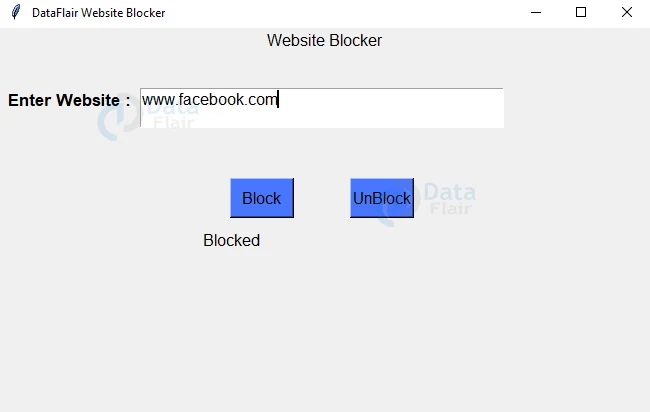
Python Website Blocker Output:
Let’s have a look at what happens when we try to block a website. See a blocked label is visible to us showing that the website has been blocked.
.png)
.png)
.png)
.png)
-1.png)


.jpeg)
-1.png)
.png)